
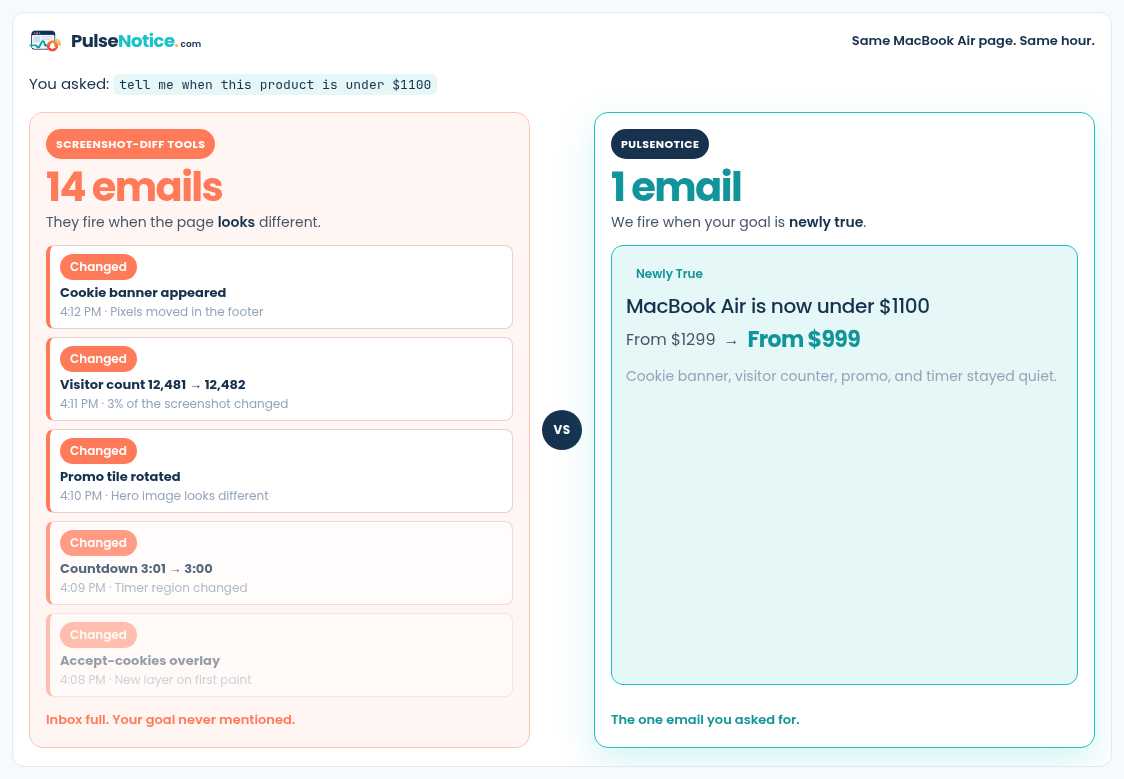
 1. Pixels vs goal
Same noisy hour on a live page: pixel tools fill the inbox; intent monitoring waits for the condition you named.
How-to · Positioning
Visualping-style tools take a picture, then tell you the pixels moved. That is the right product if you want a visual record of any change. PulseNotice is an intent monitor: you name the event, we extract facts, and we email you only when that event is newly true — not when a sidebar icon or cookie banner redraws.
Sample goal: tell me when "v17" appears
Sample selected text: Latest
1. Pixels vs goalSame noisy hour on a live page: pixel tools fill the inbox; intent monitoring waits for the condition you named.
If any visual difference matters — a redesigned hero, a moved button, a new promo tile — a screenshot-diff tool is honest. If you only care when a version ships, a price crosses a threshold, stock flips, or a clause rewrites, an intent monitor is quieter because those pixel events are not your goal.
Use a changelog, product, careers, or legal URL that an anonymous browser can fetch. We do not replay logins or solve CAPTCHAs. If the fact only appears behind a customer portal, neither category of tool can see it without credentials — and we will not store yours.
Example for a release page: tell me when “v17” appears. Include the exact token or phrase you would recognize in an email. Optional selected text (for example “Latest”) helps extraction lock onto the right region when the page is long.
Ask whether the product scores “the page looked different” or “my condition became true.” See PulseNotice vs Visualping and vs Distill if you are choosing a category. Screenshot tools remain better when you need a picture of every change; intent monitoring is better when you already know the event.